An MT5 trading journal that fills itself in
Upload a MetaTrader 5 report for free, or connect the account once and let new trades, fees and open positions arrive by themselves.
Typing trades from MetaTrader into a spreadsheet is where most journals die: a busy week, a few missed rows, and the statistics stop meaning anything. LSG Club gives MT5 traders two ways around it. Importing a report is free for every club member; MT5 auto-sync, which pulls your trades without any action from you, comes with a $9 monthly club contribution per account.
Option 1: import an MT5 report (free)
MetaTrader 5 can save your whole trade history as an HTML report. The journal reads it — and CSV files too, including those Excel saves with a semicolon and a decimal comma.
- In MT5 open the Toolbox window (View → Toolbox or Ctrl+T) and go to the History tab.
- Right-click and pick the period — All History or the months you need.
- Right-click again → Report → HTML and save the file.
- In the journal open Import, choose the account and drop the file in. You get a preview first; nothing is saved until you confirm.
MT5 reports use the broker's server time, not UTC, so the import asks for it. Most brokers and prop firms run on UTC+2 in winter and UTC+3 in summer — the "New York close" option — and the journal converts each trade so its Kill Zone and calendar day are right. Duplicates are skipped by position id and by content, so uploading the same report twice adds nothing.
Option 2: MT5 auto-sync ($9 a month)
Connect an MT5 account with its number, server and investor password. The first connection reads your whole history; after that new trades arrive every hour, and "Sync now" fetches them in seconds (once every 20 minutes).
- Investor password only — it gives read-only access, so trades cannot be opened or closed with it. It is stored encrypted.
- Commissions and swaps are kept apart from the net result; deposits and withdrawals become balance operations, not profit.
- Your broker's own candles on every synced trade's chart, so entry and exit sit exactly on their prices.
- Open positions and the balance on the dashboard and in the Telegram bot.
- Nothing to install and no terminal to keep open on your side.
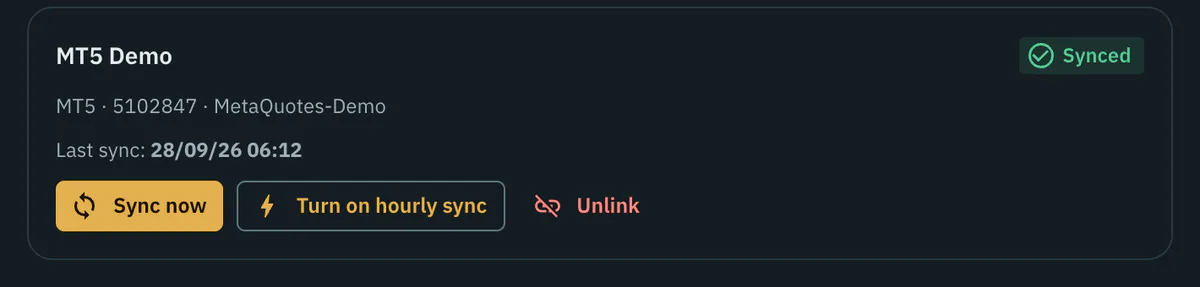
The contribution is paid directly to the club: after signing up you send a request from the Import page, and once it is paid the club admin switches access on. If the next contribution is not paid, sync pauses and every trade already in the journal stays where it is. MT4 accounts can be connected as well and sync less often.

What you get once the trades are in
Imported and synced trades are ordinary journal trades. You add the setup, the Kill Zone is already set, and the analytics treat them like any other: results in $, % or R, the behaviour report, optimal RR and break-even on real candles, the "What if" simulator and calendars by month and year. Broker facts — prices, volume, times — are locked so the statistics stay honest; your notes, screenshots and tags remain editable.
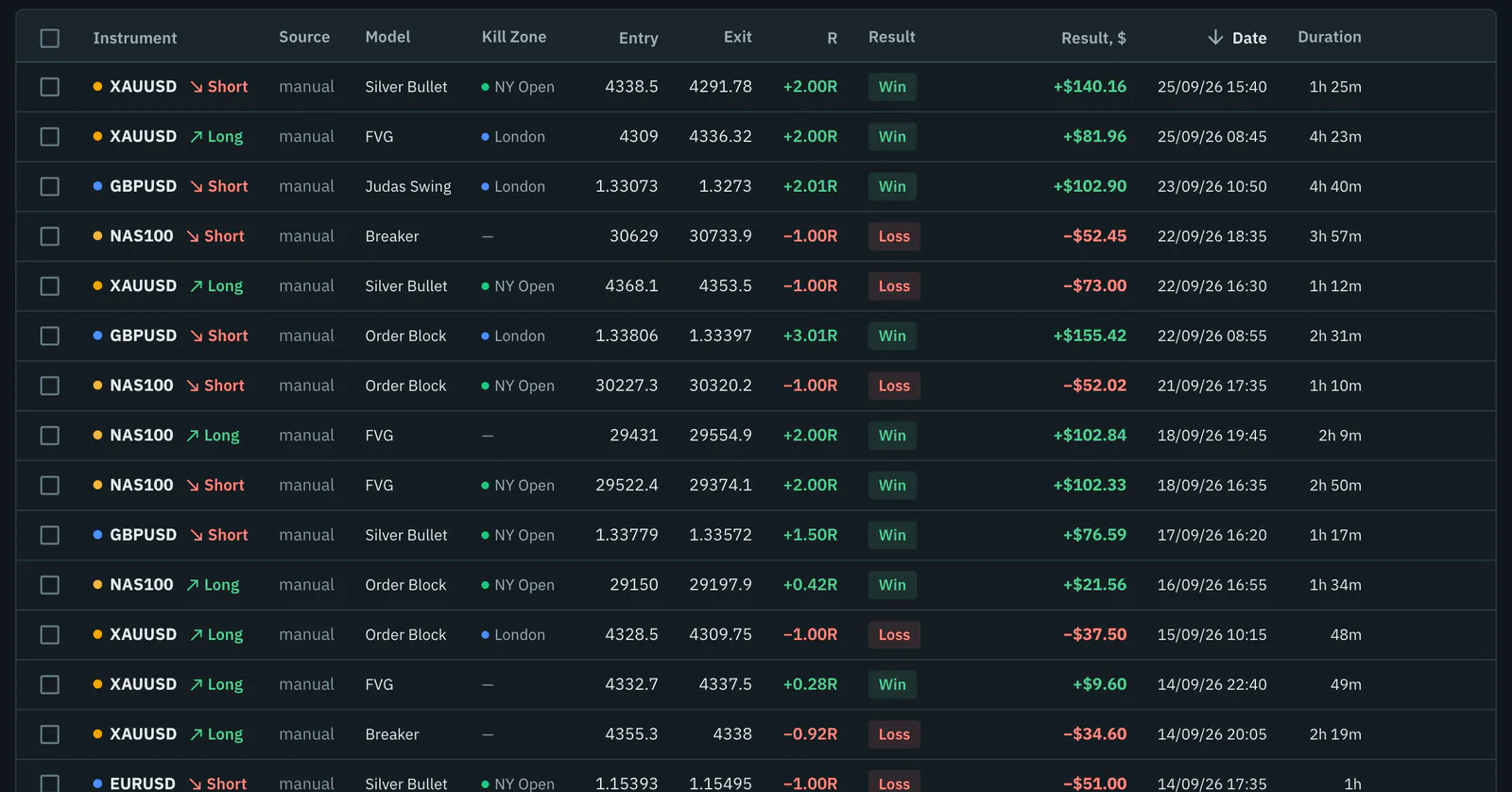
If you trade with the club's AI on MT5, trades opened by the LSGAutoTrader advisor are marked as such in a synced journal, and the Source filter separates them from your manual ones. More on that on the AI trading bot for MT5 page; the import itself is covered step by step in the MT5 import guide.
Frequently asked questions
Is it safe to give the journal my investor password?
The investor password is read-only by design: it lets the terminal read history but cannot place, modify or close trades. The journal stores it encrypted and uses it only to log in and read your history. Report import needs no password at all.
Which MT5 brokers are supported?
Any MT5 broker: the account number, the server name and the investor password are enough. A broker server that is not in the list yet is looked up automatically.
What happens if I stop paying the club contribution?
Sync pauses and, after a grace period, the connection is removed together with the stored password. Your trades stay in the journal, and report import keeps working for free.
Can I connect a prop firm MT5 account?
Technically yes, with the investor password, because the journal never trades. Check your firm's rules on third-party tools first; importing a report needs no access to the account at all.