An ICT trading journal built around Kill Zones and setups
Log every ICT and SMC trade with its Kill Zone, model and R multiple, see it on a real chart, and find out which setups actually pay you. Free for every club member.
A generic spreadsheet asks for a date, a pair and a profit. An ICT trader needs more: which Kill Zone the entry fell in, which model triggered it — an Order Block, a Fair Value Gap, a Breaker, a liquidity sweep — where the stop sat and how many R the trade made. LSG Club is a trading journal built for exactly that, by traders who use ICT and Smart Money Concepts every day. The journal is free for every member of the club, with no trial period and no card.
What an ICT journal should record
Every trade in LSG Club carries the fields that make ICT review possible. Most of them fill themselves in, so logging a trade takes seconds rather than minutes.
- Kill Zone — set automatically from the entry time, so you never tag it from memory.
- Setup and model — Order Block, FVG, Breaker, Mitigation, Liquidity Sweep and your own playbook entries.
- Risk and R multiple — the trade form sizes the lot from your risk and stop, and the realised R is calculated from the stop, not typed by hand.
- Result in $, % or R — switch the unit for the whole journal at once.
- Screenshots or TradingView links, notes, emotions, confidence and an A+ flag for your best setups.
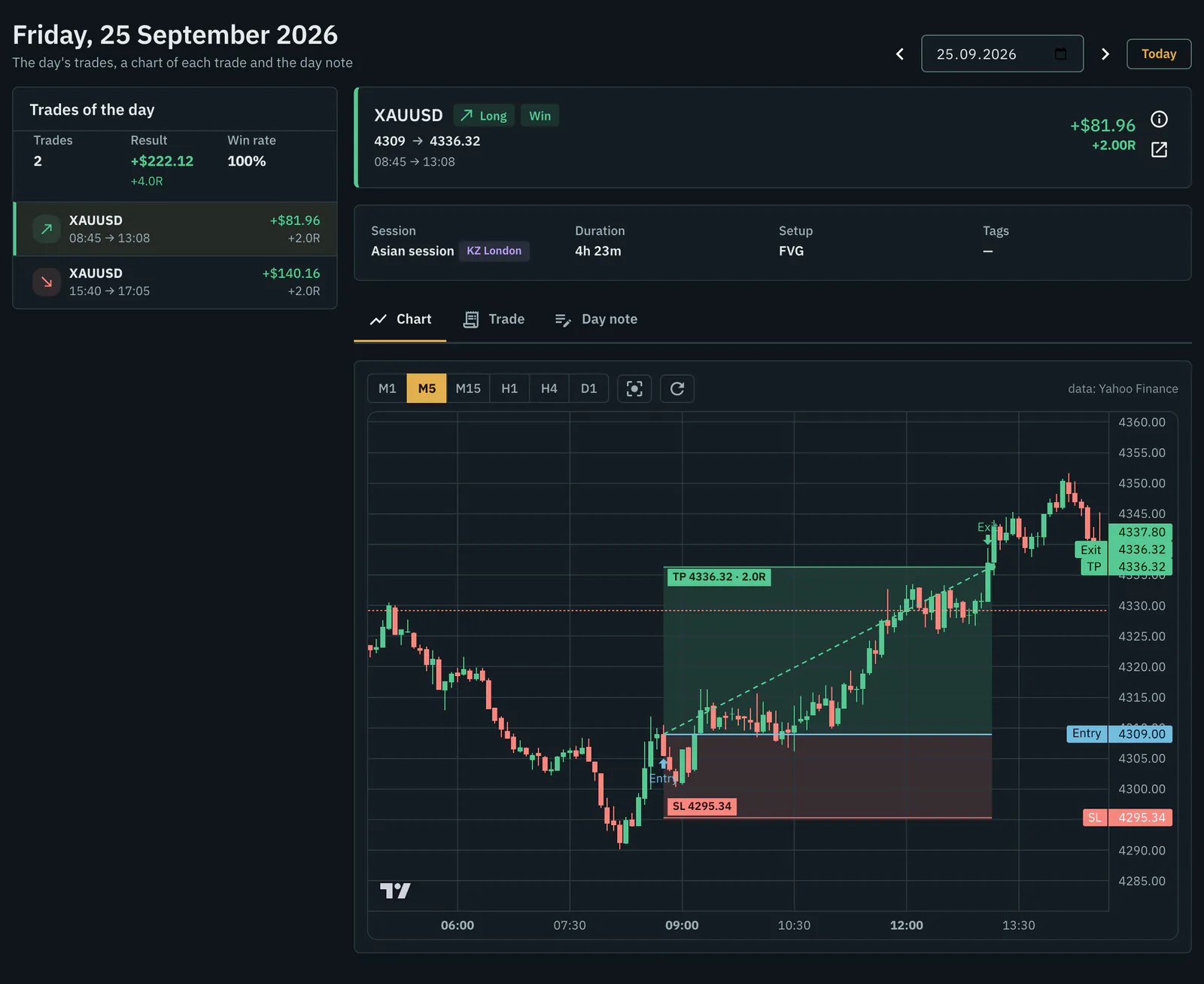
Every trade on a real chart
Open any day and its trades sit on the left, the chart on the right: candles from M1 to D1 with the stop and target drawn as zones, TradingView-style. You see where you got in and what price did next — whether the target was reachable, whether the stop was too tight, whether you left too early. For auto-synced MT5 trades the candles are your broker's own; for the rest they come from public quotes, and the source is named under the chart.
Kill Zones that do not drift with daylight saving
The journal tags trades with fixed UTC windows all year round: Asian 00:00–02:00, London 05:00–08:00 and New York 12:00–15:00 UTC, Monday to Friday. Fixed windows keep months of statistics comparable when clocks change in spring and autumn; the site shows them in the time zone of your profile. If you want ICT's own definitions, which are set in New York time, convert them for your city with the free Kill Zone time converter.
Analytics that answer ICT questions
Win rate and an equity curve are only the start. The journal breaks your results down the way an ICT trader thinks about them:
- By setup, instrument, Kill Zone, session, weekday and hour — every breakdown follows the period and account you pick.
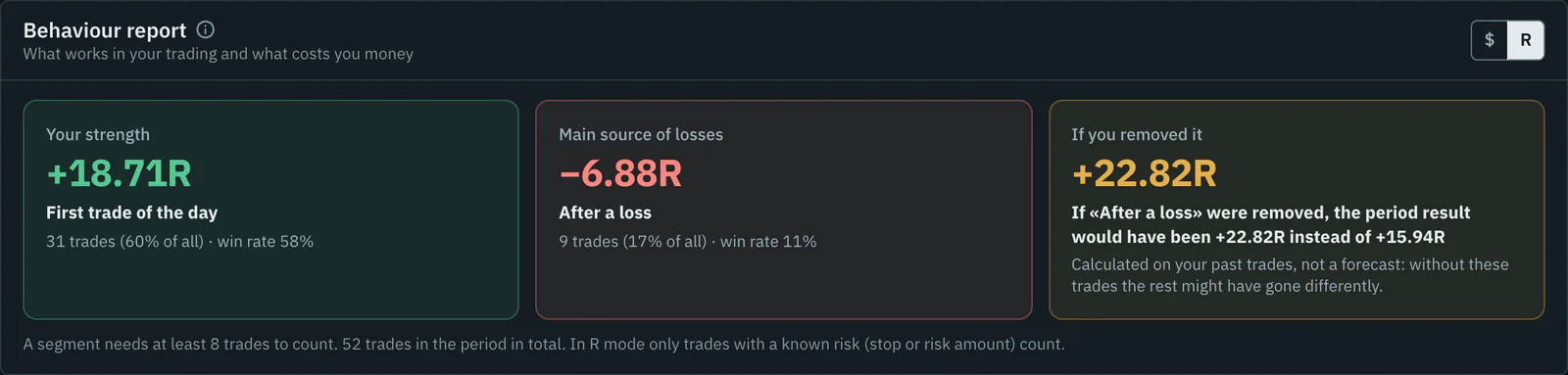
- A behaviour report with three verdicts: what works, the main source of losses and what the result would be without it.
- Optimal RR and optimal break-even: every trade is replayed on real candles with a different target or a stop moved to entry.
- A "What if" simulator: filter by Kill Zone or setup and test rules such as "stop after two losses" on your own history.
- A setup playbook that counts R and win rate per setup the same way the journal does.
Planning before the session, review after it
ICT trading starts before the Kill Zone opens. The journal has a weekly trading plan built from a template (a built-in ICT weekly profile or your own), a daily plan with notes per timeframe and TradingView links, and checklists you tick before an entry. The Telegram bot sends a morning brief with the news and your plan, alerts before Kill Zones and a weekly report every Monday.
How to start
- Join the club — the journal is free for members.
- Add a trading account with its starting balance.
- Add trades by hand with the built-in position calculator, import an MT5 or MT4 report, or connect auto-sync.
- Tag the setup and add a screenshot or a TradingView link.
- Once a week, open the behaviour report and the playbook and decide what to keep doing.
Not ready to sign up? Look around the demo account first, or read the ICT concepts reference on the blog.
Frequently asked questions
Is the ICT trading journal free?
Yes. The journal, trade charts, analytics, planning, report import and the Telegram bot are free for every club member with no time limit. MT5 auto-sync is a $9 monthly club contribution per account, and AI auto-trading has its own contribution.
Does it work for SMC as well as ICT?
Yes. Order Blocks, Fair Value Gaps, Breakers, liquidity sweeps and market structure are shared vocabulary; you can also add your own setups to the playbook and track them in R.
Why are the journal's Kill Zones in UTC?
So the windows do not move when clocks change and your statistics stay comparable across months. The site shows them in your own time zone, and the converter shows ICT's New York-time definitions.
Can I import my MT5 history?
Yes. Upload an HTML or CSV report from MT5 or MT4 for free; duplicates are skipped, so the same report can be uploaded again. Auto-sync pulls the history by itself.