A free trading journal — with no trial and no card
Trade charts, analytics, calendars, planning, report import and a Telegram bot, free for every club member with no time limit.
"Free" in trading software usually means a two-week trial or a journal with the useful parts locked. LSG Club works differently because it is a traders' club, not a company selling seats: the journal is a tool for every member, free with no time limit and no card. Only the features that need dedicated servers per account — MT5 auto-sync and AI auto-trading — come with a club contribution.
What is free for every member
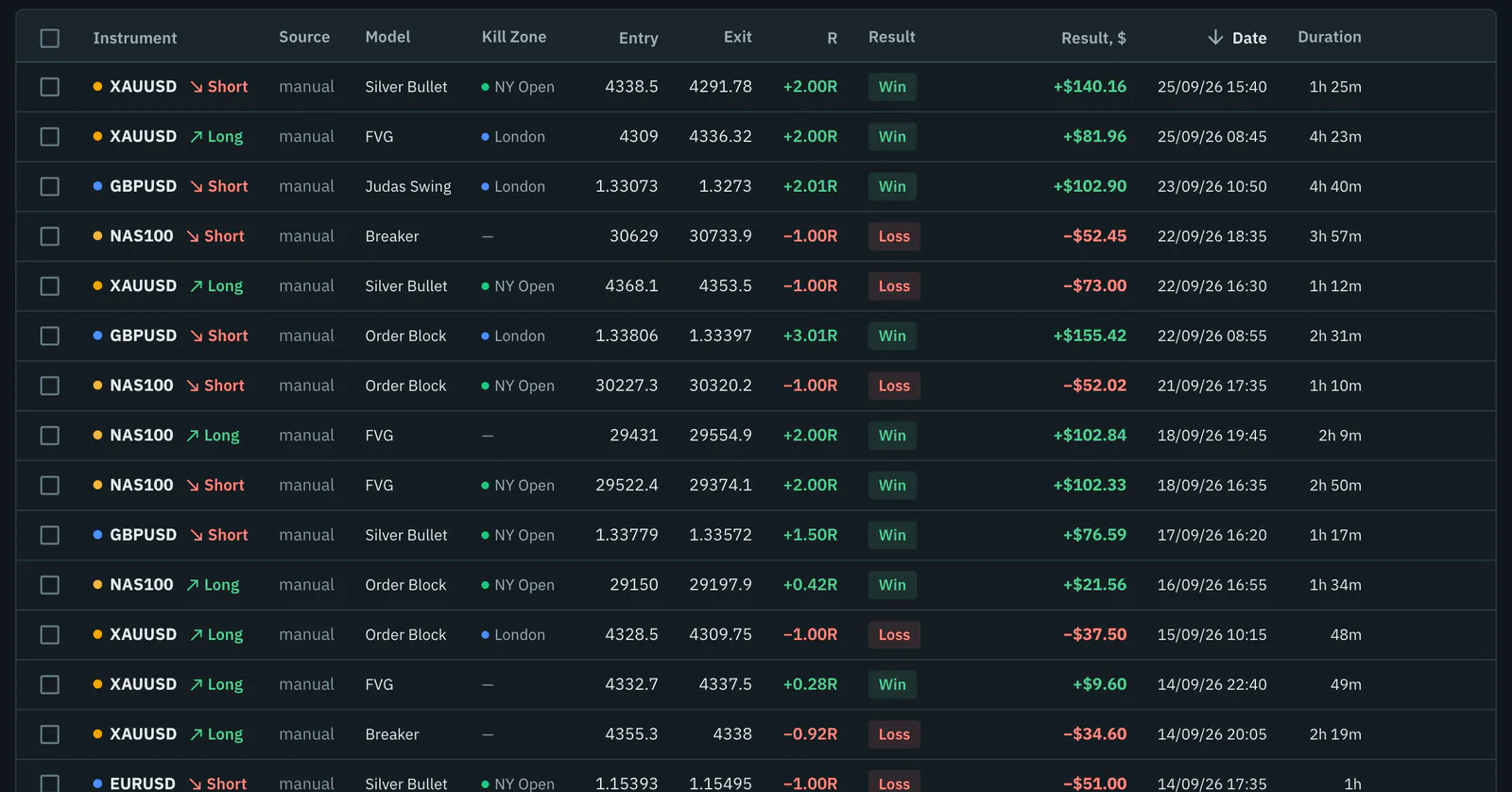
- The trade journal in $, % or R, with setups, Kill Zones, notes, screenshots and TradingView links.
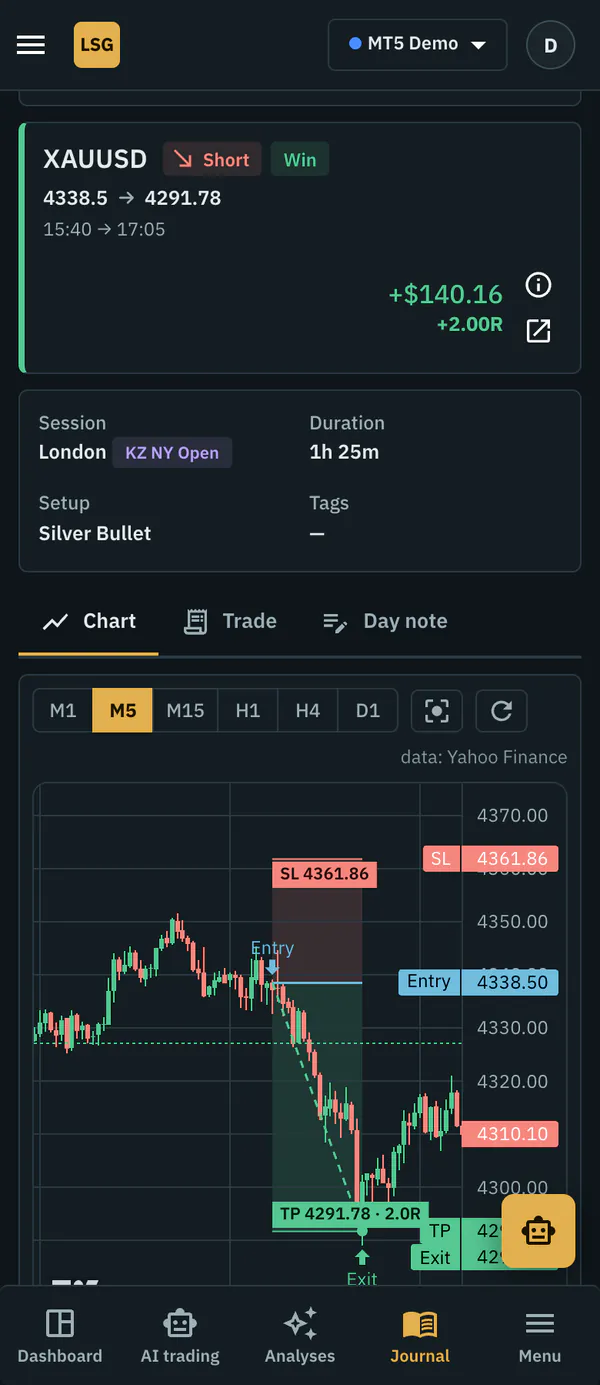
- A chart of every trade on real candles from M1 to D1, with stop and target zones.
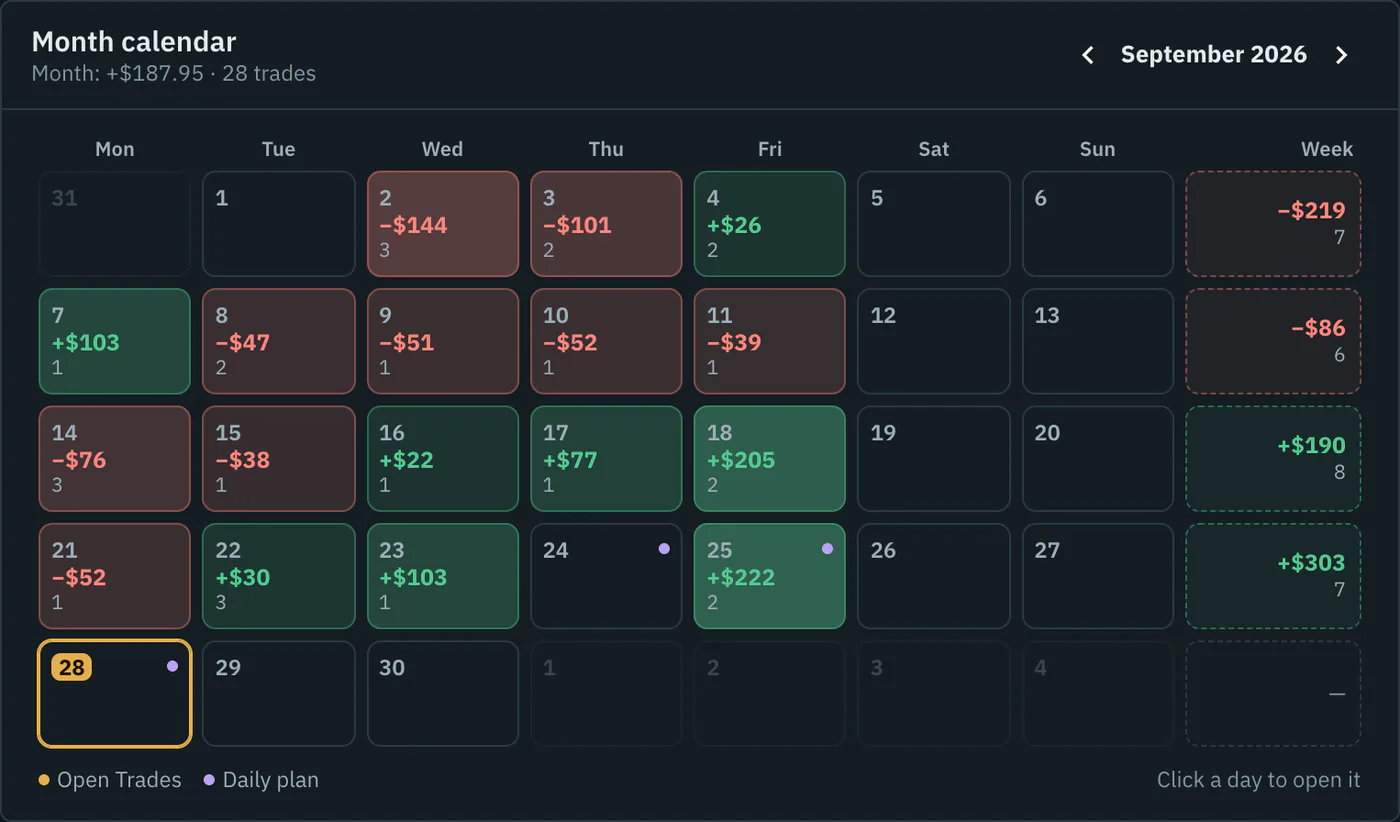
- Month and year calendars, analytics, an equity curve and drawdown.
- The behaviour report, optimal RR and optimal break-even, and the "What if" simulator.
- MT5 and MT4 report import (HTML and CSV) and crypto exchange import with a read-only API key.
- Trading and daily plans, checklists, a setup playbook, goals and daily limits, prop challenges.
- Public links and images of your trades, the Telegram bot, learning materials and the COT report.
What comes with a club contribution
MT5 auto-sync is $9 a month per account: trades, fees and open positions arrive by themselves every hour, read with the investor password. AI auto-trading — the club's AI trading on your own MT5 through the LSGAutoTrader advisor — is a separate contribution after approval. Neither is needed to use the journal; without them you add trades by hand or import a report.
Better than a spreadsheet, and still yours
A spreadsheet is free too, and for some traders it is enough. If you want to start there, take our free trading journal template with ICT columns. What a spreadsheet cannot do is check your trades against real candles: the journal replays each trade to show where a different target or an earlier break-even would have paid more, and tells you which session, setup or habit costs you money. The comparison is laid out in journal vs spreadsheet.
Your data stays yours. Any trade can be deleted, the journal exported to CSV and all your data downloaded as one file in Settings; you can delete the account permanently there too.
Who the journal is for
The journal grew out of ICT and Smart Money Concepts, so Kill Zones, setups and R multiples are first-class fields. It is just as useful if you trade price action, supply and demand or a simple moving-average system: the analytics care about when, what and how you trade, not which school it comes from. Forex and gold day traders get the most from the Kill Zone and session breakdowns; swing traders lean on the calendars, the equity curve and the weekly review; prop firm candidates use the challenge tracker and daily limits.
Built for forex, gold and indices
The journal knows how instruments are priced: pips for currency pairs and JPY pairs, points for indices, ounces for gold and silver, and crypto. The trade form sizes the lot from your risk and stop in your account currency, and results can be shown as a percentage of the balance before each trade. It works the same on a phone: the day, the trade chart and analytics.
Want to see it before signing up? The demo account shows the journal with sample trades, and the ICT trading journal page explains the ICT side in detail.
Frequently asked questions
Is the trading journal really free?
Yes, for every club member and with no time limit. You sign up with an email and confirm it; no card is asked for. MT5 auto-sync and AI auto-trading are the only features that come with a club contribution.
Can I export my data?
Yes. The journal exports to CSV, and Settings has a download of all your data as one file. You can also delete individual trades or the whole account.
Does it work for crypto trading?
Yes. Trades can be imported from Binance, Bybit, OKX and other exchanges with a read-only API key, or added by hand with crypto contract sizes.
Is there a mobile app?
The journal is a website that works on a phone: the day page, trade charts and analytics are laid out for small screens. The Telegram bot covers quick checks such as today's P&L and open positions.