A trading journal app that works wherever you trade
Log trades in seconds, see each one on a real chart and find the habits that cost you money, on a desktop or a phone. Free for every club member, with no card and no trial clock.
A trading journal app has one job: make reviewing your trades easier than skipping the review. If logging a trade takes five minutes, you stop after a bad week and the statistics stop meaning anything. LSG Club is a web trading journal app for ICT and SMC traders: it runs in the browser on a desktop or a phone with nothing to install, fills most fields by itself and comes with a Telegram bot for quick checks. The journal is free for every club member.
What makes good trading journal software
Most journals can store a date, a pair and a profit. The ones worth keeping do more of the work for you:
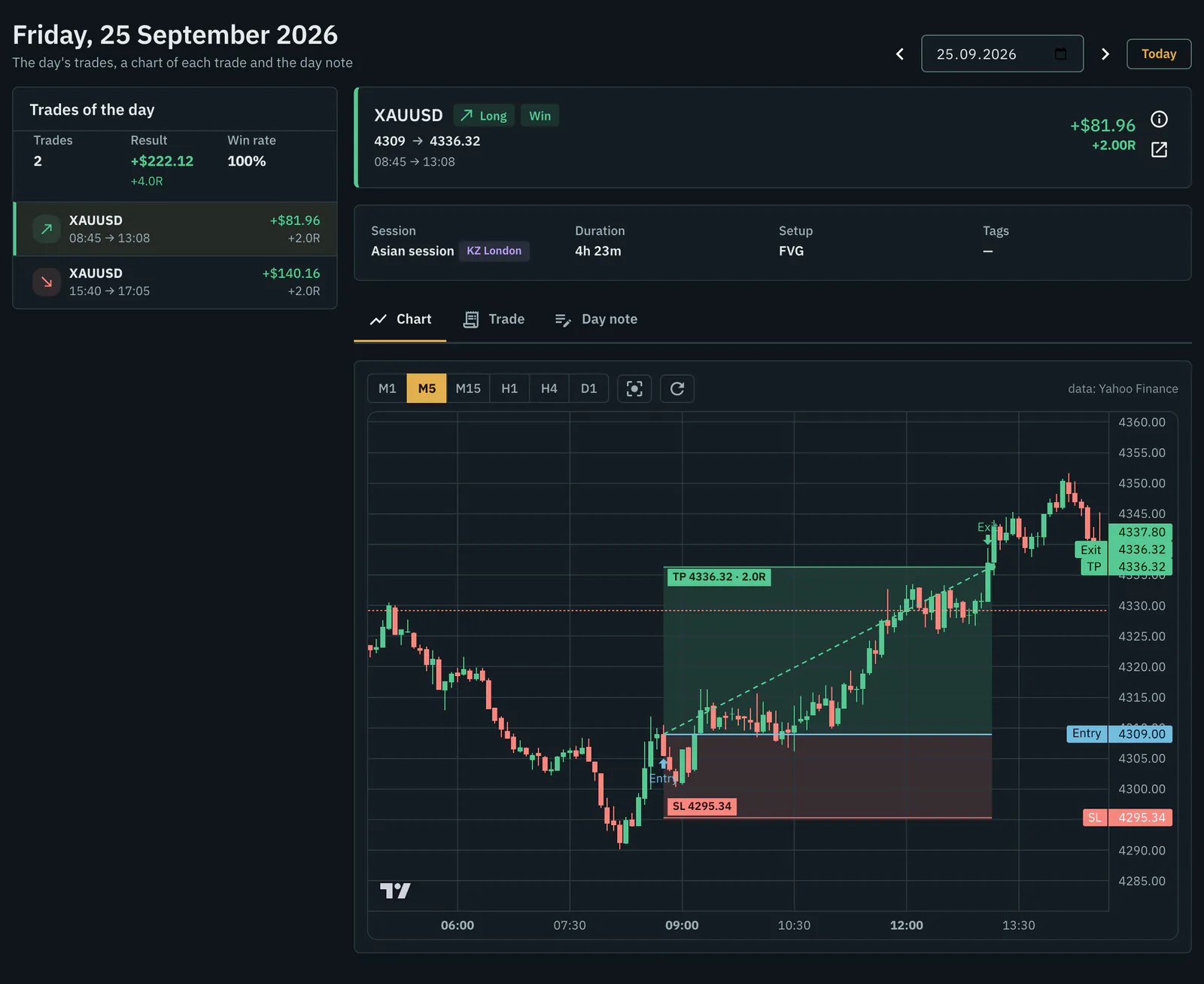
- Fast logging — the Kill Zone is set from the entry time, the lot is sized from your risk and stop, and the R multiple is calculated, not typed.
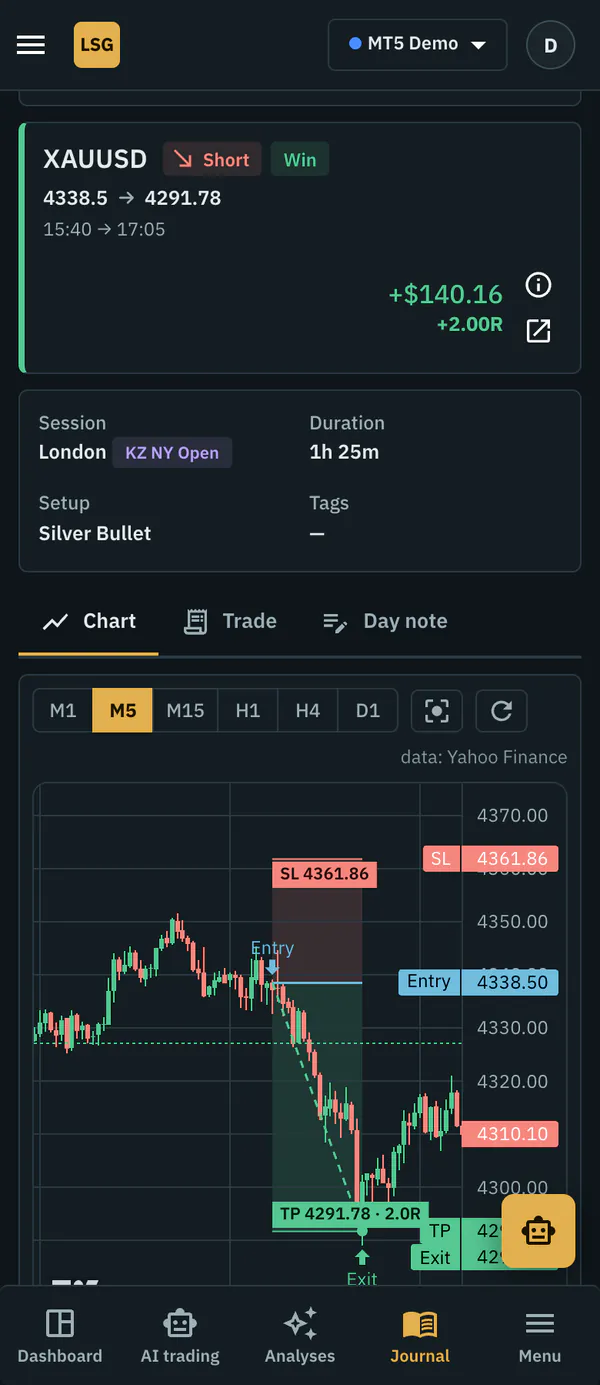
- A real chart for every trade — candles from M1 to D1 with the stop and target drawn as zones, so you see what price did after you got in.
- Analytics that answer questions — results by setup, instrument, Kill Zone, session, weekday and hour, in $, % or R.
- Your broker history without retyping — MT5 and MT4 reports in HTML or CSV, or automatic sync.
- Your data stays yours — CSV export, a download of all your data and permanent account deletion in Settings.
One journal on desktop and phone
LSG Club is a website rather than an app from a store, so the same journal opens in the browser on a computer or a phone. On a small screen the day page, the trade chart and analytics are laid out for a phone, which is enough to log a trade or check a result between sessions.
For the quickest checks there is the Telegram bot. It uses the same numbers as the website: today's P&L, daily limits and the next Kill Zone, a morning brief with the news and your daily plan, alerts before Kill Zones and a weekly report every Monday.
Built for SMC and ICT traders
The journal grew out of Smart Money Concepts and ICT, so the vocabulary is already there. Order Block, FVG, Breaker, Mitigation and Liquidity Sweep are ready-made setups, and you can add your own, such as a BOS or CHoCH entry, to the playbook and track each one in R. Kill Zones use fixed UTC windows all year (Asian 00:00–02:00, London 05:00–08:00, New York 12:00–15:00), shown in your own time zone, so months of statistics stay comparable when clocks change.
Beyond the basics, the behaviour report names what works and the main source of your losses, optimal RR and optimal break-even replay each trade on real candles with a different target or stop, and the "What if" simulator tests rules such as "stop after two losses" on your own history.
Free, and what the $9 auto-sync adds
Everything above is free for members with no time limit: the journal, trade charts, analytics, planning, checklists, the playbook, prop challenges, the Telegram bot, MT5 and MT4 report import and crypto exchange import with a read-only API key. If you are looking for a free trading journal with broker sync, here is the honest answer: importing a report is free, and automatic MT5 sync is a $9 monthly club contribution per account. It reads the whole history on the first connection and then new trades every hour, with the investor password only, which cannot open or close trades.
Looking for a free alternative to TradeZella?
TradeZella is a popular paid trading journal, and plenty of traders compare it with other journals before paying for one. Its plans and prices change, so check its own site for the current terms. What we can describe is what LSG Club gives you without paying: the journal and every analytics tool on this page, free for members, with no card and no trial period. The only paid parts are auto-sync and AI auto-trading, and you can use the journal fully without either.
The fair way to compare is to list what you actually open every week: the trade chart, the breakdown by setup and session, the weekly review. Then try those on our demo account before you move anything. Switching takes four steps:
- Join the club — the journal is free for members.
- Add your trading account with its starting balance.
- Import your MT5 or MT4 history report, or connect auto-sync.
- Tag your setups and open the behaviour report after the first week.
For the full list of free features see the free trading journal; MT5 traders will find import and sync step by step on the MT5 trading journal page, and the ICT side is covered on the ICT trading journal page. Still deciding whether you need an app at all? Start with the trading journal template or read journal app vs spreadsheet.
Frequently asked questions
Is there a trading journal app for iPhone and Android?
LSG Club works in the browser on any phone, with the day page, trade charts and analytics laid out for small screens. There is nothing to install from a store, and the Telegram bot covers quick checks such as today's P&L and open positions.
Is the trading journal app free?
Yes, for every club member and with no time limit. No card is asked for. MT5 auto-sync ($9 a month per account) and AI auto-trading are the only features that come with a club contribution.
Does it sync with my broker?
MT5 auto-sync connects with the investor password, which gives read-only access, and brings in new trades every hour. Importing an MT5 or MT4 report is free and needs no password at all.
Is it a good journal for SMC traders?
Yes. Order Blocks, Fair Value Gaps, Breakers and liquidity sweeps are ready-made setups, your own structure setups go into the playbook, Kill Zones are set from the entry time and every result can be shown in R.